A Comfortable Viewing Setup: Posture, Lighting and Distance
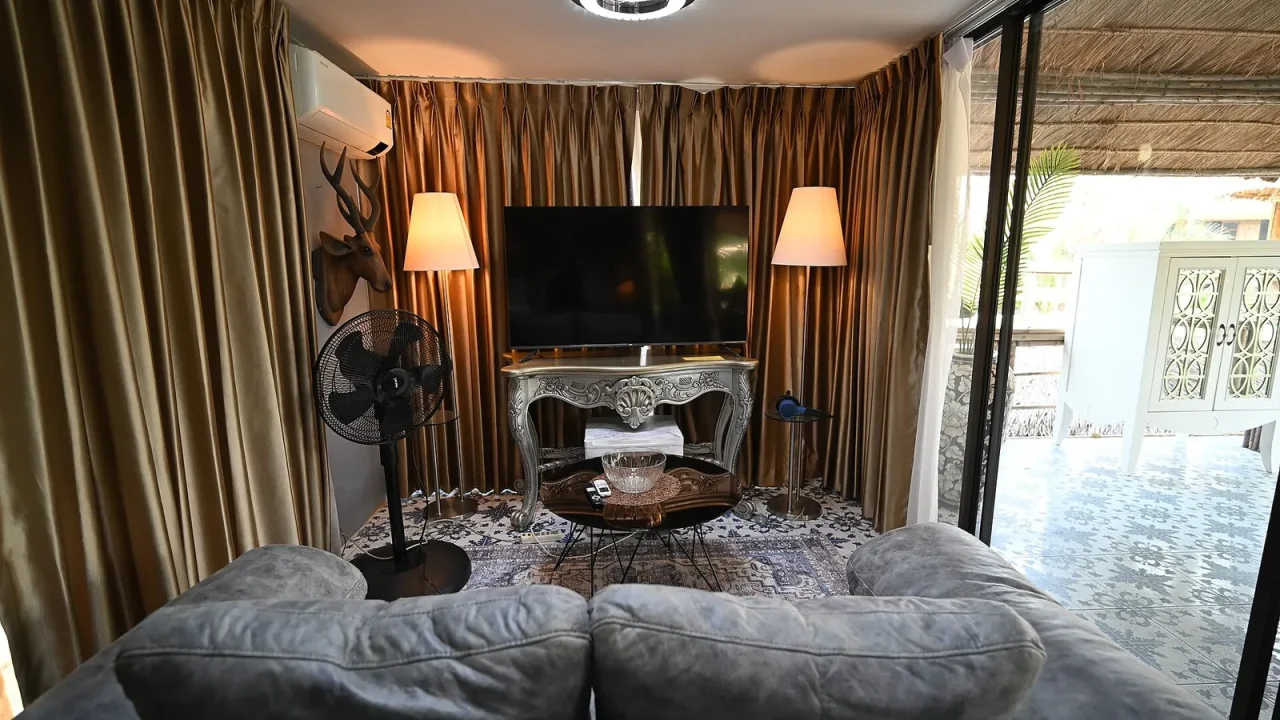
A comfortable viewing setup comes down to three things: seating that supports you without strain, lighting that avoids glare, and a screen placed where you can see it easily from a natural position. You rarely need to buy anything to improve all three.
Start With Where You Sit
Think about the seat first, because it determines everything else. A sofa that is great for a quick chat may be tiring over a two-hour film.
Aim for a position where your back feels supported, your feet can rest comfortably, and your head does not need to turn or tilt to see the screen. Cushions, a rolled blanket or a footstool can make a surprising difference.
Comfort ideas for seating
- Add a cushion behind your lower back if the sofa is deep.
- Use a footstool so your legs are not hanging or cramped.
- Change position now and then rather than staying fixed.
- Keep a drink and remote within easy reach so you are not twisting.
- Take a short stretch at natural breaks, such as between episodes.
Light the Room Thoughtfully
Lighting affects how pleasant a picture looks. A bright window behind the screen or a lamp reflecting off the glass can make a scene hard to see, so move or shade the source.
Many viewers like soft, indirect lamps that sit behind or beside them, which avoids a stark contrast between a glowing screen and a dark room. Others prefer near darkness for dramatic films. Try different options and keep what suits you.
Picture settings can help as well. Our article on improving your TV picture without buying anything covers modes that suit bright and dim rooms.
Place the Screen and Judge Distance
Screen height should be close to eye level when you are seated, so you are not constantly looking up or down. Windows to the side are better than windows behind you or opposite the screen.
As for distance, there is no magic number, and screen size matters. If you can see the whole image without scanning, and any text is readable, you are probably in a good spot. Our guide to choosing a TV size for your room explains how room size and screen size work together.
| Common problem | Possible cause | Easy adjustment |
|---|---|---|
| Reflections on the screen | Window or lamp opposite | Draw curtains or move the lamp |
| Neck feels stiff | Screen too high or too low | Adjust stand or seat height |
| Text is hard to read | Sitting too far away | Move closer or enlarge text |
| Picture looks washed out | Bright room | Use a brighter picture mode or dim the room |
| Dialogue is unclear | Poor speaker position | Try a speech setting or reposition speakers |
Phones, Laptops and Small Screens
Handheld devices often invite awkward positions. Propping a tablet on a stand, or resting it at a comfortable height rather than holding it for hours, can ease the strain on arms and wrists. Switch hands, or take breaks to stretch, when you notice discomfort.
Make It a Space You Like
Comfort is also about mood. A blanket, tidy surfaces and tangle-free cables make a room feel calmer, and our post on tidying home theater cables offers simple ideas.
Setup checklist
- Sit where you would normally sit and notice any strain.
- Add cushions or a footstool as needed.
- Check for reflections and shade them.
- Set the screen near eye level.
- Choose lighting that feels easy, not harsh.
- Plan short breaks to move around.
Remember that comfort is personal. What suits one person may not suit another, and your preferences can change from film to film. A long epic may call for a more supportive seat than a short episode. Treat the room as something you can adjust, rather than something fixed.
It is also worth thinking about everyone who shares the space. A seat that works for you may leave someone else with a poor view or a glare in their eyes. A quick check of each seat before a group viewing, asking whether everybody can see and hear comfortably, avoids complaints later on.
Small tweaks add up. Try one change at a time so you can tell what helps.
This article offers general information only and is not medical advice. If you have concerns about your eyes, posture, pain or other health matters, please consult a qualified health professional or your official local health authority.
Frequently Asked Questions
How far should I sit from the screen?
There is no single correct number. Sit where the whole picture is easy to take in without turning your head, and where text is readable. Adjust until it feels natural.
Should the room be completely dark?
Not necessarily. Many people like a soft, indirect light to reduce harsh contrast between the screen and the room, but it is a matter of preference.
Where should the screen be placed?
Place it so you can look roughly straight ahead, away from windows that cause glare. Moving it slightly or adding curtains can solve most reflections.
Do I need special furniture?
No. Cushions, a footstool and some rearranging are often enough to make your current seating more comfortable.